
Это руководство объясняет функцию списка BLF для SIP-телефонов Fanvil и предоставляет пошаговую настройку сервера BroadWorks и веб-интерфейса телефона.
В этом документе описана функция BLF List SIP-телефонов и способ ее использования путем настройки BroadWorks и телефона. Все модели телефонов, включая BX3S, BX4, BX5S, BX6, BX7, BX7C, GP210, GP210i, серию BXU, BC600, BD900, поддерживают эту функцию с одинаковым методом настройки.
BLF (Busy Lamp Field / Поле Индикатора Занятости) получает статус вызова расширения путем подписки на него. При настройке номера BLF на клавише DSS светодиодный индикатор изменяется при изменении статуса отслеживаемого расширения. Одна клавиша BLF отслеживает только одно расширение. BLF List позволяет отслеживать несколько расширений одновременно. Пользователь настраивает список отслеживаемых номеров на сервере PBX, и телефон автоматически сопоставляет их с клавишами DSS. Светодиодные индикаторы обновляются при изменении статуса любого отслеживаемого расширения. BLF List — это функция групповой подписки для пакетного мониторинга. Функция BLF List требует взаимодействия между SIP-телефоном и сервером PBX. Проверенные совместимые PBX: BroadSoft BroadWorks, Fortinet FortiVoice, VoipSwitch. Другие PBX, поддерживающие BLF List, также могут работать. В этом руководстве в качестве примера используется BroadWorks.
1. Войдите в веб-интерфейс конфигурации BroadWorks.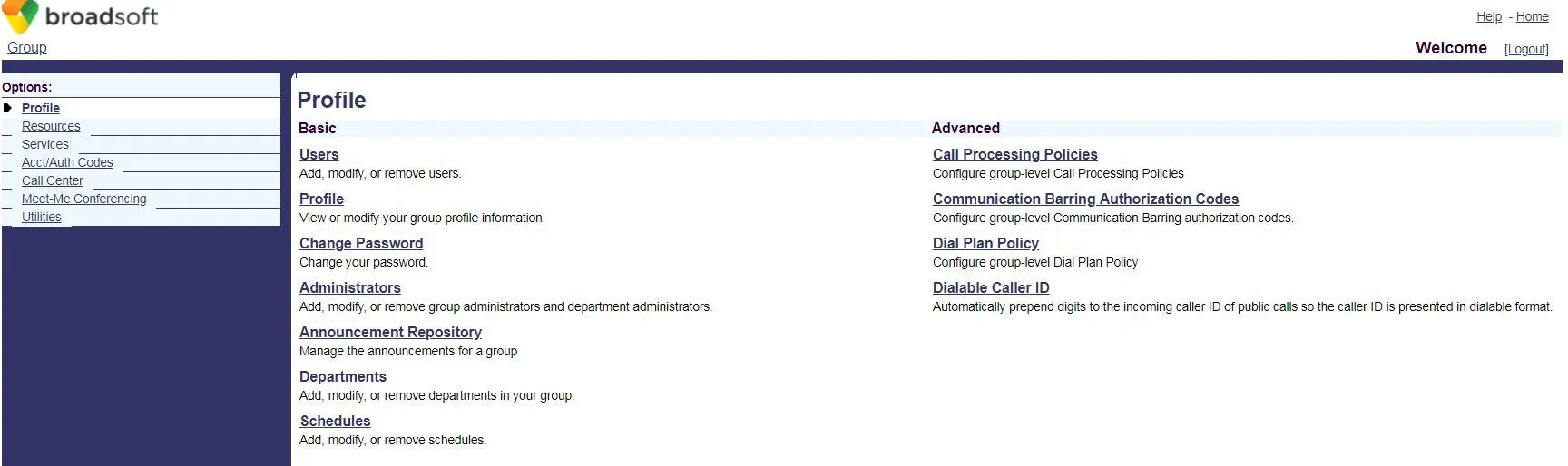 2. Нажмите Users, чтобы перейти на страницу выбора учетной записи BroadSoft.
 3. Если учетные записи существуют, нажмите Search для отображения списка. Выберите учетную запись (например, FanvilUser1) и перейдите к шагу 5.
Если учетных записей нет, нажмите Add для создания новой (шаг 4).
3. Если учетные записи существуют, нажмите Search для отображения списка. Выберите учетную запись (например, FanvilUser1) и перейдите к шагу 5.
Если учетных записей нет, нажмите Add для создания новой (шаг 4).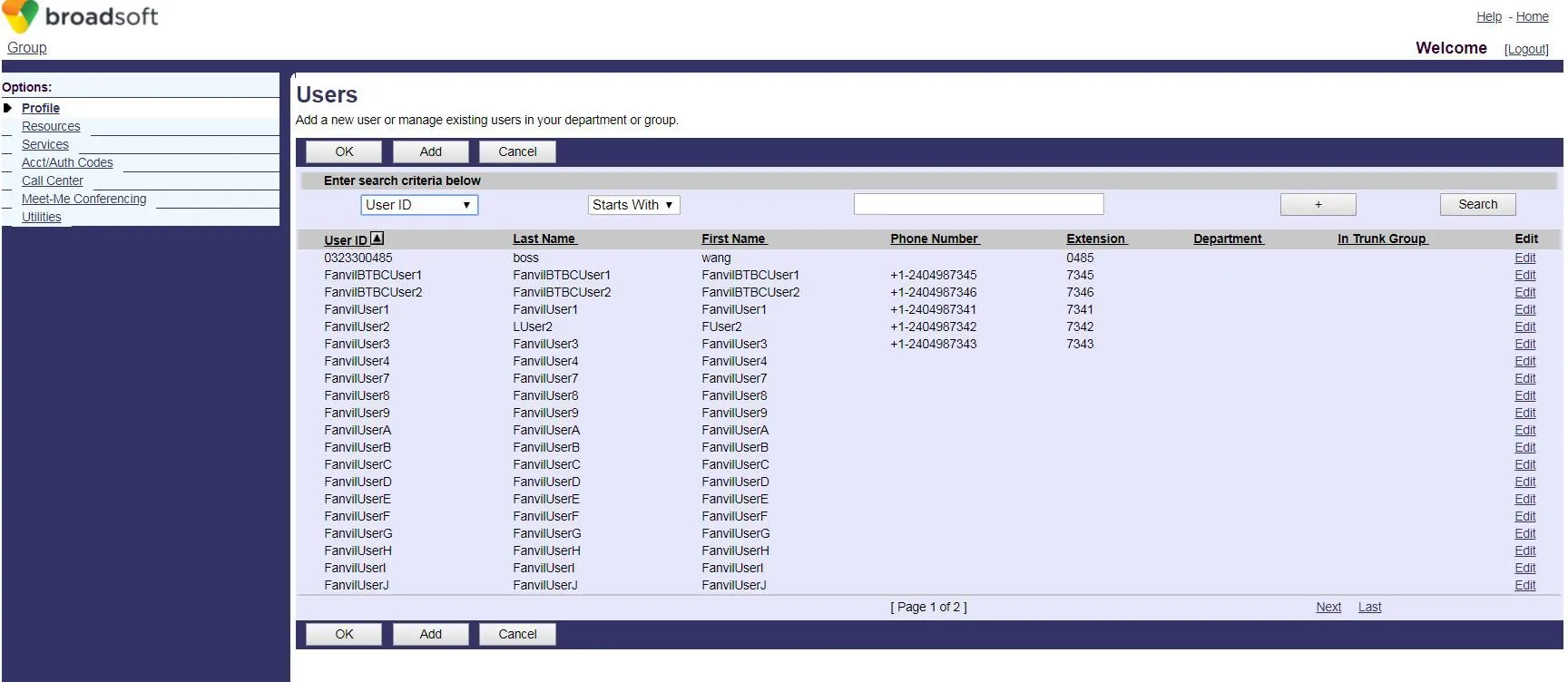 4. Создайте новую учетную запись BroadWorks.
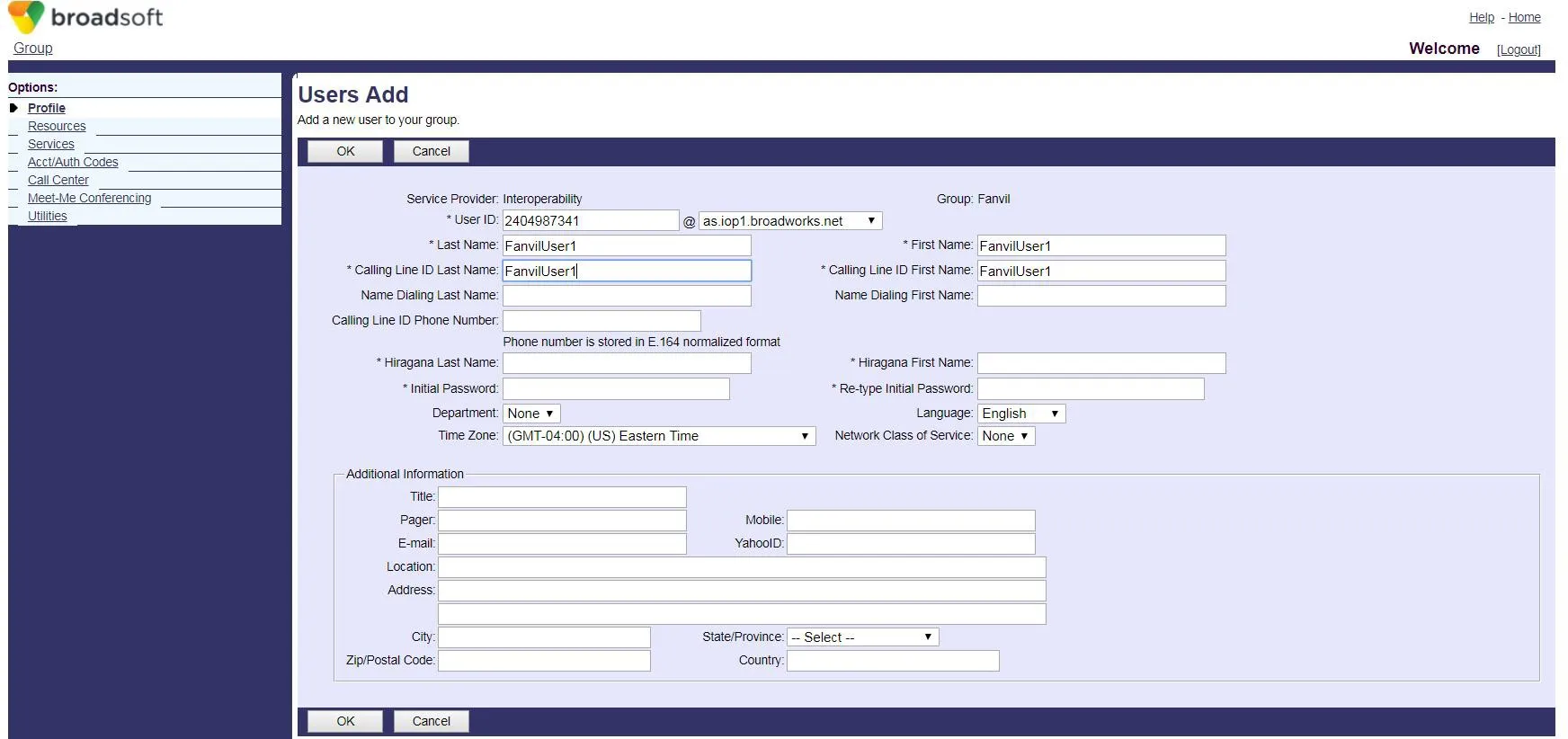 5. Перейдите на страницу конфигурации выбранной учетной записи (FanvilUser1).
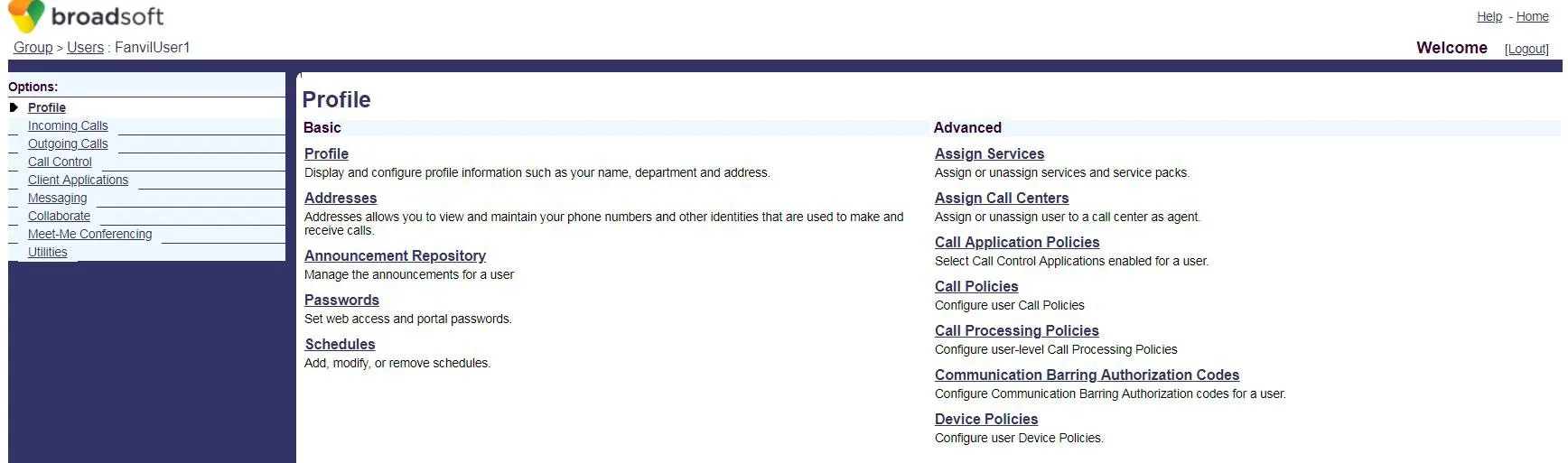 6. Нажмите Client Applications.
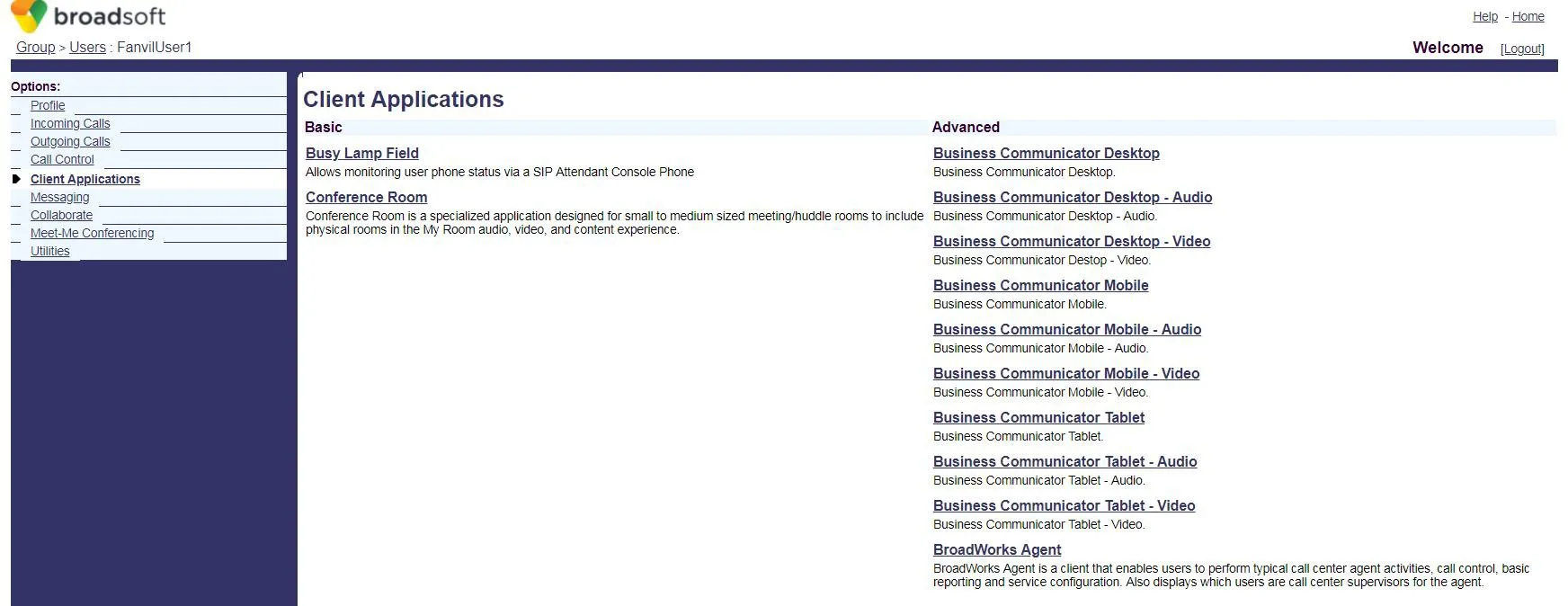 7. Нажмите Busy Lamp Field, чтобы открыть страницу настройки BLF List.
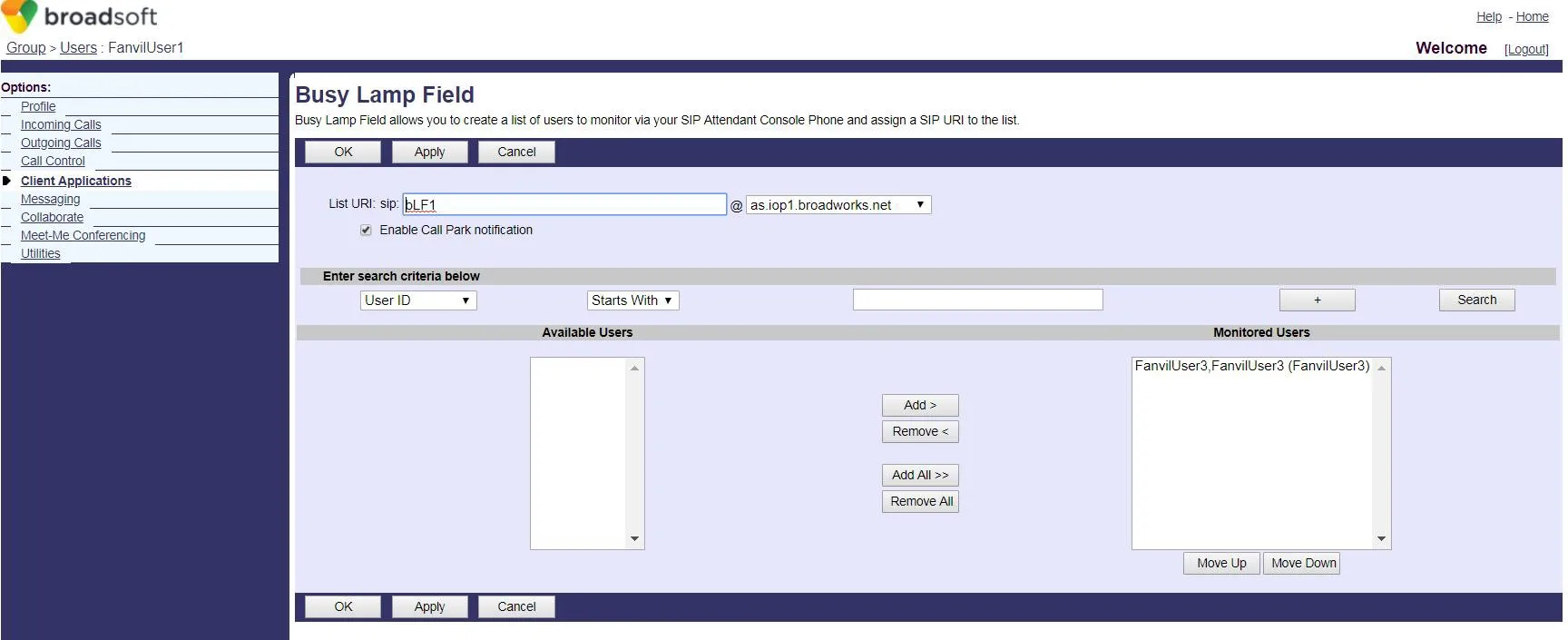 8. Введите List URI (например, blf1). Это значение должно совпадать с номером BLF List на телефоне.
Нажмите Search для отображения доступных расширений.
Переместите нужные расширения в список отслеживания, затем нажмите OK для сохранения.
8. Введите List URI (например, blf1). Это значение должно совпадать с номером BLF List на телефоне.
Нажмите Search для отображения доступных расширений.
Переместите нужные расширения в список отслеживания, затем нажмите OK для сохранения.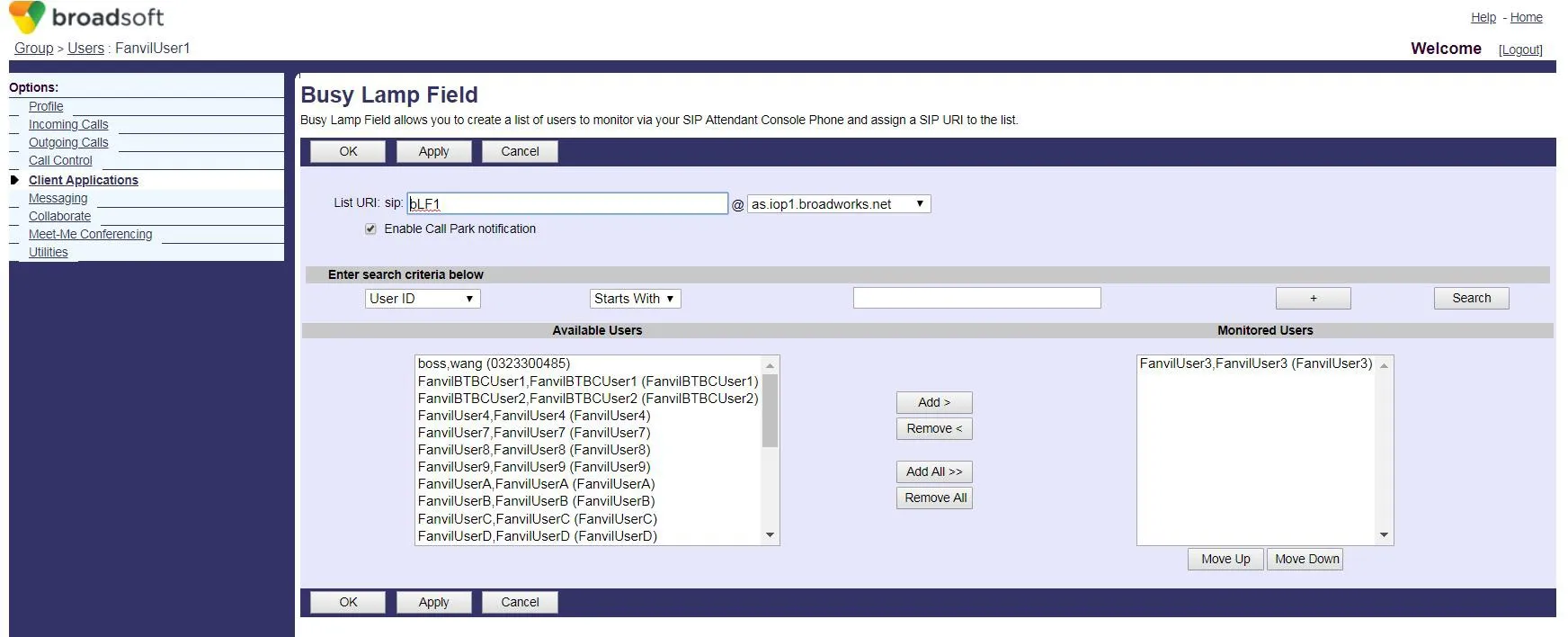 9. Войдите в веб-интерфейс телефона (имя пользователя/пароль по умолчанию: admin).
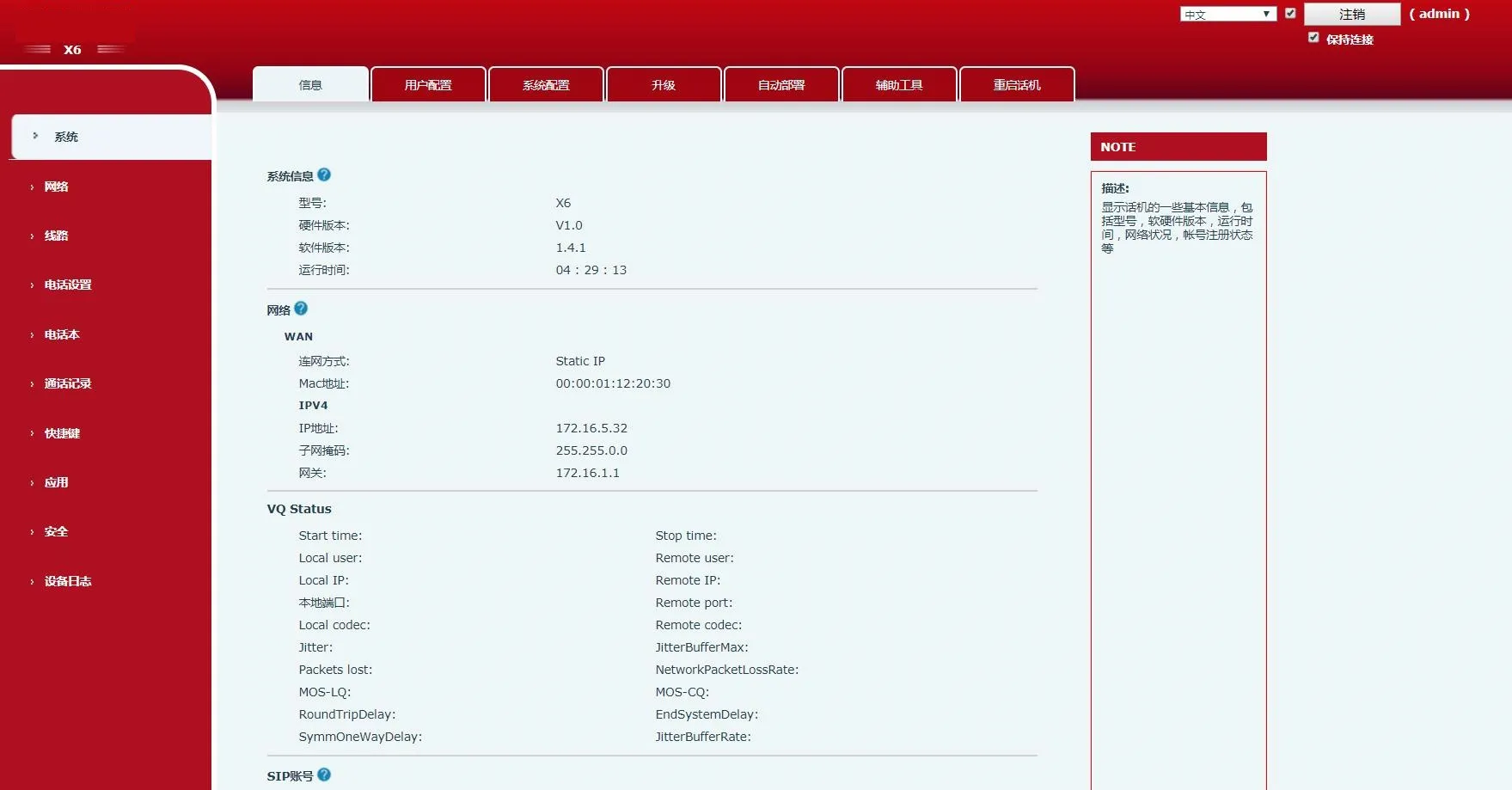 10. Перейдите в раздел Shortcuts в левом меню.
Установите Тип клавиши DSS на BLF List. Каждая клавиша сопоставляется с одним отслеживаемым номером.
Если в списке больше расширений, чем клавиш BLF List, телефон назначит их клавишам DSS с типом «Нет».
Нажмите Apply для сохранения.
10. Перейдите в раздел Shortcuts в левом меню.
Установите Тип клавиши DSS на BLF List. Каждая клавиша сопоставляется с одним отслеживаемым номером.
Если в списке больше расширений, чем клавиш BLF List, телефон назначит их клавишам DSS с типом «Нет».
Нажмите Apply для сохранения.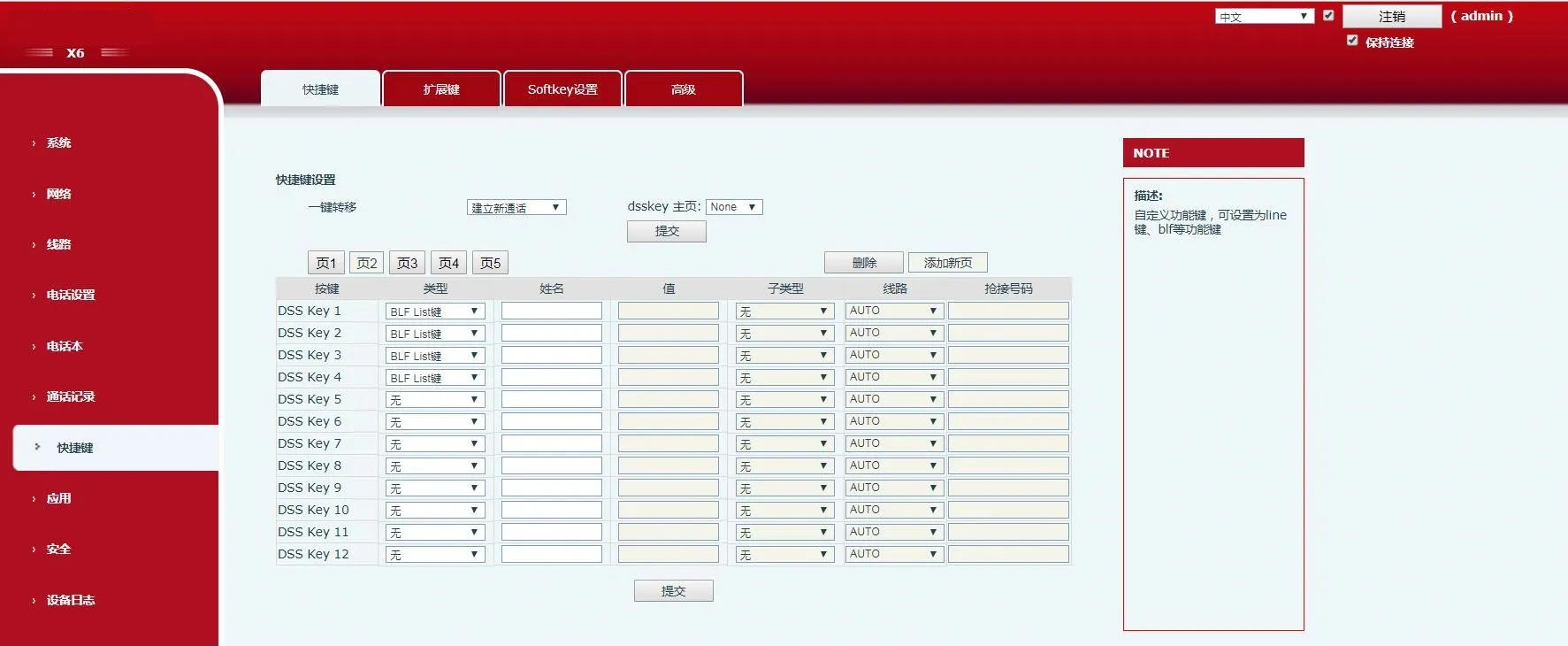 11. Перейдите в раздел Line в левом меню.
Настройте учетную запись BroadWorks (FanvilUser1) для соответствующей линии телефона.
11. Перейдите в раздел Line в левом меню.
Настройте учетную запись BroadWorks (FanvilUser1) для соответствующей линии телефона.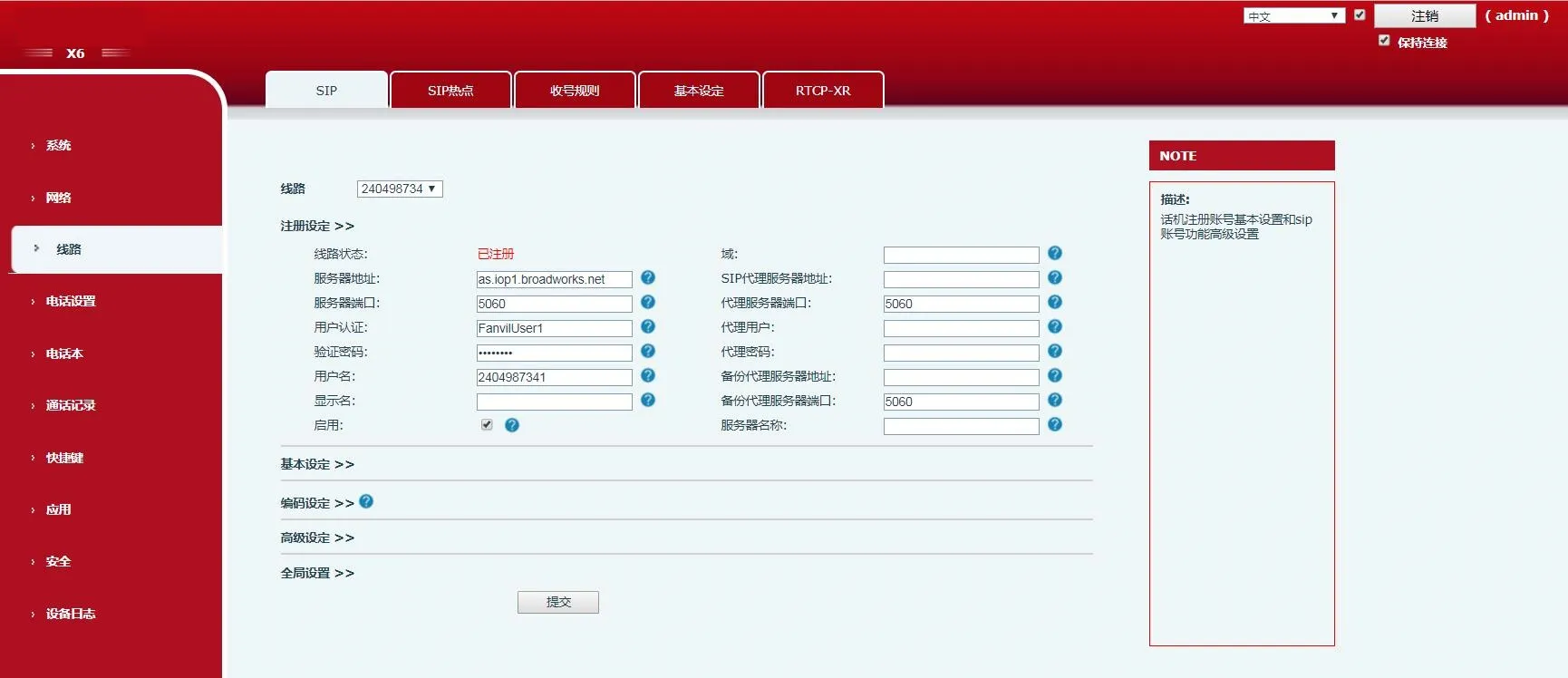 12. Перейдите в Advanced Settings → Расширенные настройки SIP.Включите BLF List и введите Номер BLF List (совпадает с List URI из шага 8).
Нажмите Submit.
Убедитесь, что учетная запись FanvilUser1 успешно зарегистрирована. BLF List настроен.
12. Перейдите в Advanced Settings → Расширенные настройки SIP.Включите BLF List и введите Номер BLF List (совпадает с List URI из шага 8).
Нажмите Submit.
Убедитесь, что учетная запись FanvilUser1 успешно зарегистрирована. BLF List настроен.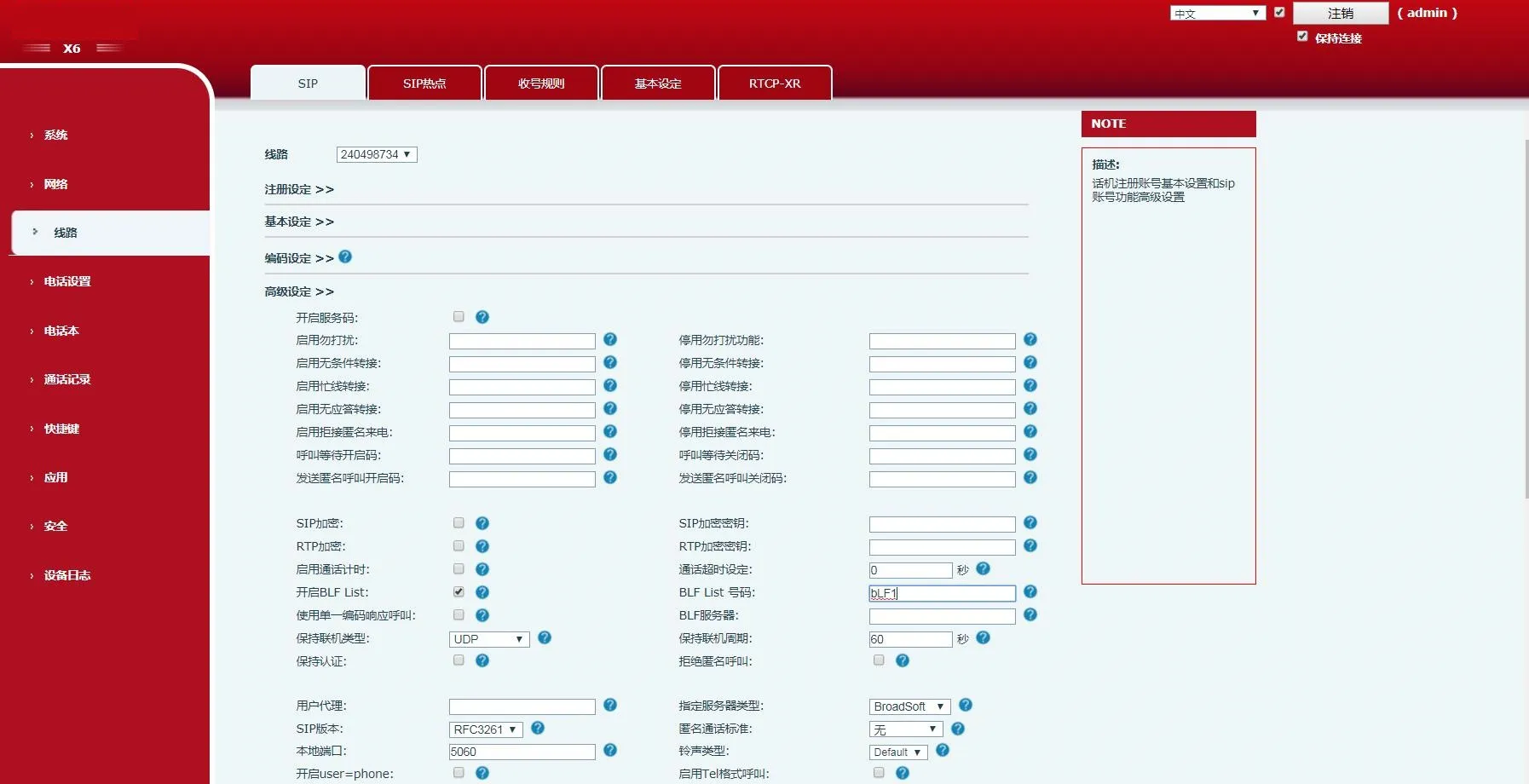 13. Проверьте светодиодные индикаторы клавиш DSS на телефоне.
Постоянно горящий LED означает успешную настройку.
Совершите вызов на отслеживаемое расширение — соответствующий LED изменит статус.
13. Проверьте светодиодные индикаторы клавиш DSS на телефоне.
Постоянно горящий LED означает успешную настройку.
Совершите вызов на отслеживаемое расширение — соответствующий LED изменит статус.