

Что такое протокол SIP?
SIP Protocol, short for Session Initiation Protocol, is an application-layer signaling protocol used to establish, manage, modify, and terminate real-time communication sessions over IP networks. It is one of the most important protocols behind modern VoIP systems, IP PBX platforms, SIP trunks, softphones, video communication, SIP intercoms, paging systems, and unified communication solutions.
In simple terms, SIP is the call-control language that helps communication devices find each other and decide how a session should begin, continue, change, and end. When a user places a VoIP call from an IP phone, joins a video meeting, answers an intercom call, or receives a SIP paging announcement, SIP is often working in the background to coordinate the session.
SIP is often confused with VoIP, but they are not the same. VoIP refers to the method of transmitting voice over IP networks, while SIP is a signaling protocol commonly used to control VoIP sessions. SIP does not usually carry the actual voice or video stream. Instead, it manages the signaling process, while RTP usually carries the real-time media.
Почему SIP важен в современной связи
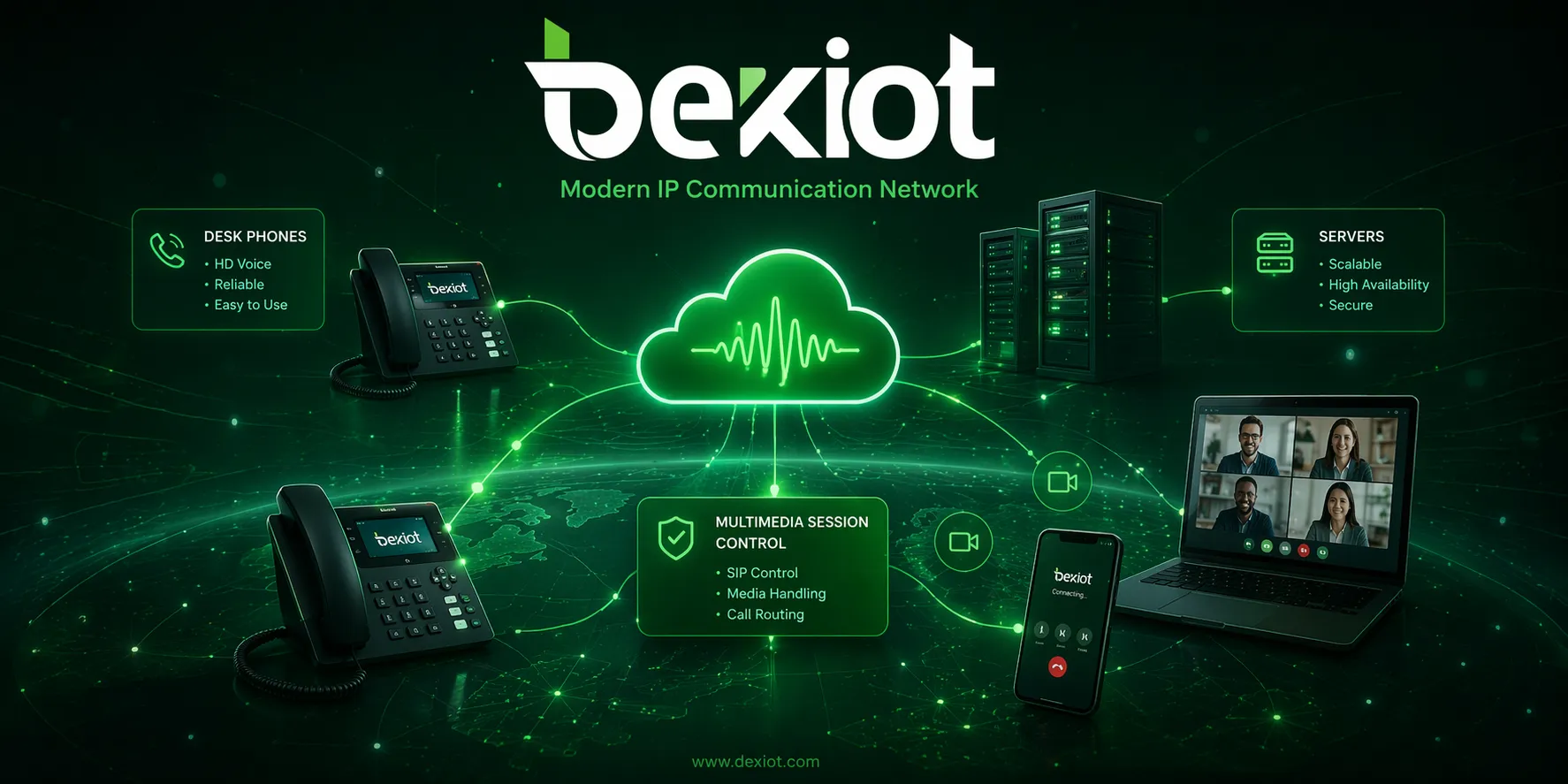
SIP matters because communication systems are no longer limited to traditional fixed telephone lines. Modern organizations need voice, video, intercom, paging, conferencing, mobile access, remote extension registration, and multi-site communication to work together through IP networks. SIP provides a flexible signaling framework for these services.
A SIP-based system can connect desk phones, softphones, SIP trunks, IP PBX platforms, VoIP gateways, conference devices, paging terminals, emergency call stations, and control room systems. This makes SIP useful not only in office phone systems, but also in hotels, hospitals, campuses, factories, transport facilities, public safety projects, and industrial communication networks.
For device selection, the endpoint is just as important as the protocol. A reliable IP Phone can register to a SIP server or IP PBX, support daily extension calling, connect with SIP trunks, and become part of a unified communication system. Becke Telcom provides IP phone options for business communication, service desks, control rooms, and IP-based voice networks where stable SIP access is required.
Как работает протокол SIP
Регистрация конечных устройств
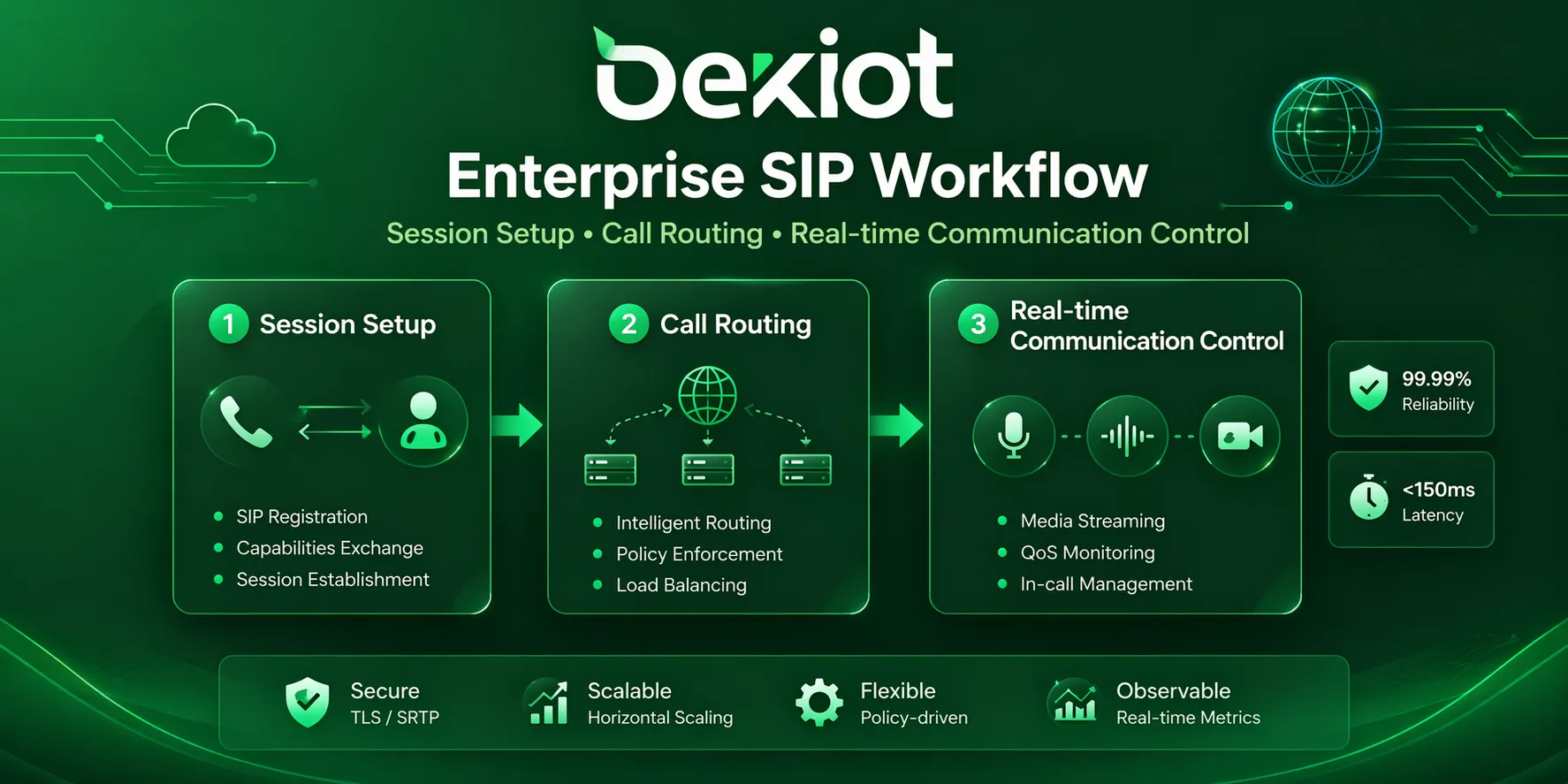
In a typical SIP system, endpoints such as IP phones, softphones, intercom terminals, or paging devices first register with a SIP server, IP PBX, hosted PBX, or softswitch. During registration, the server records the account identity, IP address, port, authentication status, and current reachable location of the device.
Registration allows the system to know where each user or endpoint can be reached. A user may sign in from a desk IP phone in the office, a softphone on a laptop, or a mobile SIP application. SIP registration helps the platform route calls to the correct active endpoint.
Установка вызова и приглашение
When User A dials User B, the SIP endpoint sends an INVITE request to the SIP server or proxy. This request includes information about the caller, the destination, and the media capabilities supported by the endpoint. The server then checks routing rules, user permissions, dial plans, and destination availability.
If the destination is reachable, the SIP server forwards the request to User B’s endpoint, another SIP server, a SIP trunk, or a VoIP gateway. This process allows SIP systems to support internal extension calls, external business calls, branch office routing, and carrier connectivity.
Вызов и ответ
After the called endpoint receives the INVITE request, it can send temporary responses such as 100 Trying and 180 Ringing. These messages tell the calling side that the request is being processed and that the destination endpoint is ringing.
When User B answers, the endpoint sends a 200 OK response. User A then sends an ACK message to confirm that the session has been established. At this stage, the two endpoints are ready to exchange real-time media.
Согласование медиа и передача RTP
SIP often works together with SDP to negotiate media parameters such as codec type, IP address, port number, audio direction, and video capability. This negotiation allows both sides to agree on how the media stream should be transmitted.
Once the session is established, the actual voice or video stream is usually carried by RTP. Depending on the system design, RTP media may flow directly between endpoints or pass through an SBC, media server, recording server, call center system, dispatch platform, or other communication control element.
Управление и завершение сеанса
SIP can also manage call hold, transfer, redirection, call update actions, and conference expansion during an active session. When either side hangs up, a BYE request is sent to terminate the session, and the other side replies with 200 OK.
After the call ends, business communication systems may generate call records, logs, billing data, recording indexes, or quality statistics. This helps administrators analyze usage, troubleshoot failures, and maintain the communication system.
Ключевые компоненты SIP-системы
Пользовательские агенты SIP
SIP user agents are the devices or applications that send and receive SIP messages. Common examples include IP phones, softphones, video phones, conference devices, SIP speakers, SIP intercom terminals, emergency help points, and VoIP gateways.
A user agent may act as a client when it sends a request and as a server when it receives a request. This flexible role allows SIP endpoints to participate directly in communication sessions and makes SIP suitable for both simple endpoint calling and centrally managed business communication.
SIP-сервер
A SIP server handles registration, authentication, routing, and call control. In many practical deployments, these functions are provided by an IP PBX, cloud PBX, softswitch, hosted VoIP platform, or unified communication server.
The SIP server decides how calls are routed, which endpoint should ring, whether the user is allowed to make the call, how external numbers are reached, and how features such as voicemail, call forwarding, queues, IVR, recording, and extension policies are applied.
SIP-прокси и регистратор
A SIP proxy helps forward SIP requests to the correct destination. It can apply routing logic, user policies, provider rules, and traffic management. A registrar stores the current contact information of SIP users and endpoints after successful registration.
In many business phone systems, proxy and registrar functions are integrated into the same IP PBX or communication platform. This makes the system easier to manage while supporting extension registration, routing, authentication, and service control from one central point.
SIP-транк
A SIP trunk connects an enterprise phone system to a telecom service provider over an IP network. It replaces or reduces dependence on traditional analog or PRI lines and allows organizations to make and receive external calls through IP-based carrier connectivity.
SIP trunking is often used to lower communication costs, simplify capacity expansion, support multiple branches, and centralize outbound and inbound calling for business communication systems.
VoIP-шлюз
A VoIP gateway connects SIP-based systems with legacy telephony networks or other communication interfaces. Depending on the deployment, it may connect SIP to PSTN lines, analog phones, fax machines, E1/T1 circuits, GSM or 4G networks, radio systems, or other voice infrastructure.
Gateways are valuable in migration projects because they allow organizations to keep existing devices while gradually moving toward IP-based communication.
Ключевые функции протокола SIP
Гибкое управление вызовами
SIP supports call setup, ringing, answering, hold, transfer, forwarding, redirection, cancellation, conferencing, and termination. These features make SIP suitable for office phone systems, call centers, hotels, hospitals, schools, industrial sites, and dispatch centers.
Поддержка не только голоса
SIP is not limited to voice calling. It can also be used to establish video sessions, conferencing, messaging, presence-related services, SIP intercom communication, paging, and other real-time multimedia sessions.
Масштабируемое управление пользователями
Adding a new SIP user is usually a software configuration instead of a physical line installation. This makes SIP suitable for growing companies, branch offices, remote workers, multi-site deployments, and cloud-based phone systems.
Интероперабельность
SIP is widely adopted across the communication industry. With proper compatibility testing, SIP phones, IP PBX systems, SIP trunks, gateways, paging devices, intercom terminals, and softphones from different vendors can often work together in one communication environment.
Экономическая эффективность
SIP can help reduce communication costs by routing calls over IP networks, replacing traditional trunk lines, simplifying multi-site calling, and lowering long-distance charges between connected branches or offices.
Интеграция с IP-системами
SIP fits naturally into IP-based infrastructure. It can align with LAN and WAN design, virtualization, software-based management, centralized monitoring, access control, video systems, paging platforms, and emergency response workflows.
Протокол SIP и IP Phone
IP phones are among the most common SIP endpoints in business communication systems. A SIP-based IP phone registers to an IP PBX, cloud PBX, SIP server, or hosted VoIP platform, then uses SIP signaling to place and receive calls. For users, the experience is similar to using a traditional desk phone, but the communication is handled through the IP network.
Compared with traditional analog phones, SIP IP phones are easier to deploy in modern network environments. They can support extension dialing, caller ID, call hold, call transfer, speed dial, conferencing, headset use, voicemail access, and centralized configuration depending on the system and model.
Becke Telcom IP Phone products can be used in offices, service counters, control rooms, hotels, hospitals, commercial buildings, and enterprise VoIP networks. In a complete SIP solution, IP phones can work with IP PBX systems, SIP trunks, VoIP gateways, dispatch consoles, intercom terminals, and paging systems to build a practical voice communication environment.
Распространенные применения SIP в VoIP
Корпоративные системы IP PBX
SIP is widely used in IP PBX and hosted PBX systems. It supports internal extension dialing, external calling, voicemail, call transfer, ring groups, call queues, IVR menus, call recording, and multi-site office communication.
SIP-транкинг
SIP trunking connects enterprise phone systems to telecom carriers through IP networks. It helps businesses replace traditional trunk lines, add channels more flexibly, centralize external calling, and support distributed office communication.
Облачные телефонные системы
Many cloud phone and UCaaS platforms use SIP to connect users, devices, mobile apps, softphones, IP phones, and external telephone networks. This allows employees to make and receive business calls from different locations and devices.
Колл-центры
In call center environments, SIP supports agent phones, softphones, IVR platforms, queue systems, recording servers, CRM integration, outbound dialing, and intelligent routing. It helps businesses manage customer communication with better flexibility and visibility.
Видеоконференции
SIP can establish video sessions between room systems, software clients, video endpoints, and conferencing platforms. It is useful when organizations need voice and video communication to operate under a unified signaling framework.
Интерком и контроль доступа
SIP is commonly used in IP intercoms, video door phones, access control terminals, help points, and emergency call stations. These devices can call a security desk, control room, mobile app, or SIP extension through the same communication system.
Пейджинг и система оповещения
SIP can connect paging speakers, horn speakers, paging gateways, and notification terminals. This is useful in schools, hospitals, warehouses, factories, transport stations, and public areas where announcements and emergency alerts are required.
Промышленная и аварийная связь
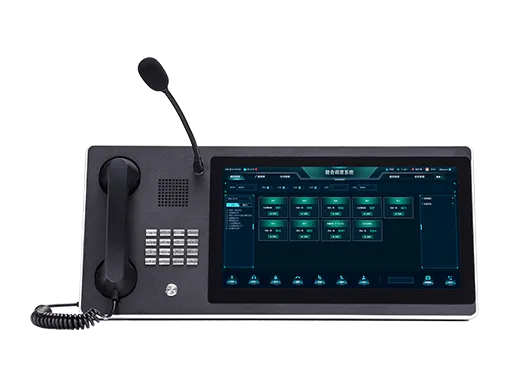
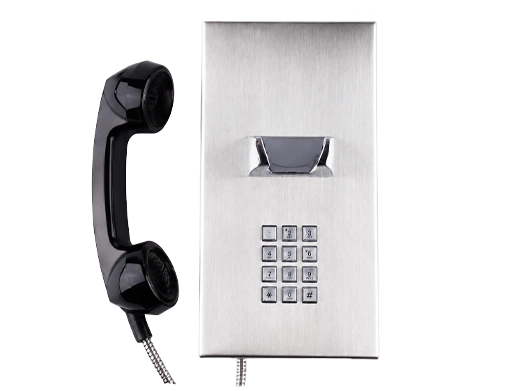
In tunnels, mines, ports, power plants, manufacturing sites, rail facilities, and transportation hubs, SIP can connect industrial telephones, emergency phones, intercoms, broadcast systems, dispatch consoles, CCTV platforms, alarms, and control rooms.
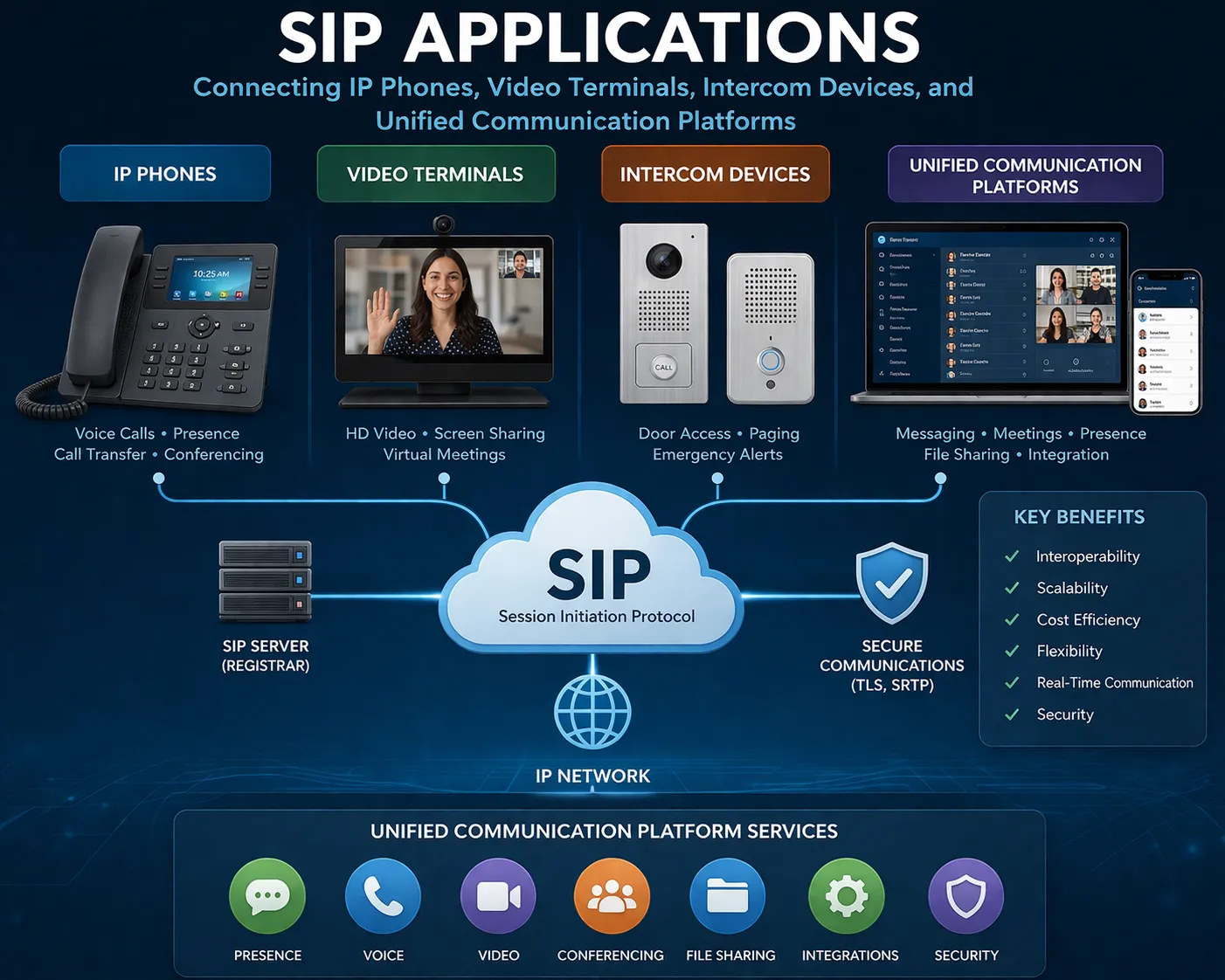
SIP против VoIP
SIP and VoIP are closely related, but they are not identical. VoIP refers to the broader method of transmitting voice over IP networks. SIP is one of the most widely used signaling protocols for setting up, managing, and ending VoIP sessions.
A VoIP system may use SIP, but VoIP can also be implemented with other signaling protocols or proprietary methods. In modern business communication, SIP is popular because it is open, flexible, scalable, and widely supported by IP phones, PBX systems, gateways, service providers, and software platforms.
SIP против RTP
SIP and RTP also have different roles. SIP handles signaling, including registration, call setup, ringing, answering, call transfer, and hang-up. RTP carries the real-time media stream, such as voice or video packets.
A simple way to understand the difference is this: SIP decides how the call starts, where it goes, and when it ends, while RTP carries what users hear or see during the call. When a SIP call connects but has no audio or one-way audio, the problem is often related to RTP routing, NAT traversal, firewall rules, or media port configuration.
Безопасность при развертывании SIP
SIP systems should be protected carefully, especially when they are connected to public networks, remote users, SIP trunks, or cloud platforms. Common risks include unauthorized registration, password attacks, SIP scanning, toll fraud, spoofed calls, signaling abuse, and exposed management ports.
A secure SIP deployment should use strong passwords, registration restrictions, firewall rules, trusted IP policies, access control lists, call permission rules, traffic monitoring, and abnormal call alerts. Where required, SIP TLS can help protect signaling, while SRTP can help encrypt media streams.
For carrier interconnection, remote access, or public-facing SIP services, an SBC can provide additional protection such as topology hiding, NAT traversal, policy control, traffic filtering, rate limiting, and session management.
Факторы развертывания
Качество сети
SIP communication depends on network stability. Packet loss, jitter, latency, and unstable routing can affect call setup and voice quality. For business and critical communication systems, bandwidth planning, QoS configuration, and reliable network infrastructure are important.
Настройка NAT и брандмауэра
Many SIP problems are related to NAT traversal and firewall rules. Incorrect public IP mapping, blocked RTP ports, SIP ALG interference, or mismatched SDP information may cause failed registration, failed calls, no audio, or one-way audio.
Планирование кодеков
Codecs affect bandwidth usage, voice clarity, compatibility, and system performance. Common codecs include G.711, G.729, G.722, Opus, and others depending on endpoint and platform support. The selected codec should match network conditions and voice quality requirements.
Тестирование совместимости
Although SIP is an open standard, different vendors may implement certain features differently. Before large-scale deployment, administrators should test registration, inbound calls, outbound calls, caller ID, DTMF, hold, transfer, recording, emergency calling, paging, and SIP trunk compatibility.
Надежность и отказоустойчивость
For enterprise, industrial, and emergency communication systems, SIP deployment should also consider backup routes, redundant servers, secondary trunks, power protection, network failover, and monitoring tools. These measures help keep communication available when part of the system fails.
SIP is valuable because it is not limited to one device or one service. It gives IP phones, PBX systems, SIP trunks, gateways, intercoms, paging devices, and communication platforms a shared signaling framework.
Заключение
SIP Protocol is one of the core signaling technologies behind modern IP communication. It helps devices and platforms establish, manage, modify, and terminate sessions for voice, video, conferencing, intercom, paging, SIP trunking, and unified communication services.
For businesses and industrial users, SIP provides flexibility, scalability, interoperability, and strong integration potential. When combined with reliable IP phones, secure network design, proper NAT handling, codec planning, and compatibility testing, SIP can support everything from daily office calling to complex emergency communication and multi-site VoIP systems.
For organizations building or upgrading a SIP-based phone system, selecting the right IP Phone is a practical first step. A stable SIP endpoint helps users access the full value of IP PBX systems, SIP trunks, VoIP gateways, and unified communication platforms.
FAQ
Можно ли использовать одну учетную запись SIP на нескольких IP Phone?
It depends on the SIP server or IP PBX policy. Some systems allow multiple registrations for the same account, while others restrict one active device per extension to avoid ringing conflicts or registration instability.
Почему IP Phone не регистрируется на SIP-сервере?
Common causes include incorrect SIP account details, wrong server address, password errors, blocked ports, DNS problems, NAT issues, firewall restrictions, or unsupported transport settings.
Что проверить перед покупкой IP Phone для SIP-системы?
Buyers should check SIP compatibility, supported codecs, network interface, PoE support, display and keys, headset options, provisioning methods, security features, firmware support, and compatibility with the target IP PBX or hosted VoIP platform.
Могут ли SIP-телефоны работать без SIP-транка?
Yes. SIP phones can make internal calls through a private IP PBX or SIP server without a SIP trunk. A SIP trunk or gateway is usually needed when the system must make and receive calls from the public telephone network.
Почему SIP-вызовы иногда соединяются, но без звука?
This usually means signaling succeeded but the RTP media path failed. Typical causes include blocked RTP ports, NAT traversal errors, incorrect SDP addresses, router SIP ALG interference, or firewall policies that allow SIP signaling but block media traffic.